
The Elective Period is a flexible academic phase where students can take up to 90 sessions (6 courses) tailored to their interests and career goals. It offers a wide range of electives, allowing students to deepen subject knowledge and personalize their learning journey.
Students may also participate in the Global Immersion Month, spending a month at a partner university abroad. This counts as 30 sessions (2 courses) and provides valuable international and cultural exposure.
From November 25, 2025, to March 10, 2026, students will select electives, international trips, and hands-on projects through a bidding process. All electives must be taken for credit—auditing is not permitted under IE policy.
This website is your guide to the bidding process. For questions, contact imbaelectives@ie.edu.
Below you will find information about the electives – electives presentation and electives index, including electives list, course sessions, professors’ names, comments from professors, and the Program Management team. The information will be updated as we receive it.
NOT BINDING.
DETERMINE DEMAND.
LOW DEMAND COURSES CANCELLED.
The filter bid and the points you assign during it are not definitive or binding. It serves to determine interest in the different courses.
This bid will establish which courses should and should not be offered due to insufficient demand.
NOT BINDING.
INTERACTIVE CALENDAR & INCOMPATIBILITIES INFO AVAILABLE.
RESULTS PUBLISHED.
LOW DEMAND COURSES CANCELLED.
The selection bid and point assignment are not definitive or binding. Since its results are made available for students, its purpose is to provide you with data to be used in the commitment bid, i.e., the minimum and maximum values being attached to each course, number of students interested and number of available spaces.
For this bid, students will be provided with course incompatibilities. Incompatibilities are due to planning restrictions where courses have sessions that overlap with other courses. This makes it impossible for students to enrol in time conflicting classes at the same time. In some cases, an incompatibility can also be due to overlapping content. Should you choose two time-conflicting courses the system will warn you through a pop-up message.
Given that this round is not binding, the ‘Assigned’ column on the ‘Results’ page will have ‘No’ next to all the courses you bid for.
BINDING!
For this round the results of the previous selection bid will be published. This round is definitive and will determine in which courses you will be enrolled. Low demand courses cancelled.
It is extremely important that you review your choices carefully for incompatibilities because, should the system not detect the error beforehand, you will have to choose between the two courses after this bidding process has ended. Should you end up below 90 sessions, you will have to fulfil your session requirement with whichever classes are still open.
Expect incompatibilities. In order for us to be able to offer the amount of electives we do, there will be a high number of incompatibilities. Expect you might not be able to take all the electives you are interested due to this. If you are interested in one or more courses with a high demand, prepare your bid well – and be aware that you might not be able to get all of them.
Please note that auditing is not permitted in the elective period. You will only be able to attend classes for which you are officially signed up.
Closer to the bidding date, you will need to access IE Blackboard Ultra > Organizations > Program Information IMBA-EN 2025 January> Electives Bid
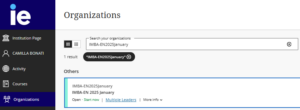
Under Electives Bid you will see three tabs:
Courses: Under this tab you will see information on the procedures for selecting electives, offered courses in alphabetical order with the corresponing code, professor’s name, video link (if available), PDF of the syllabus, sessions and incompatibilities (available from Selection Bid).The video contains further explanations about the course provided by a professor.
Bidding (The name of this Tab will always reflect the current bid; i.e. PreBid; Bidding1 or Bidding 2)
Results or Add/Drop (Results page will be visible during the bidding process only and Add/Drop during the add/drop periods only)
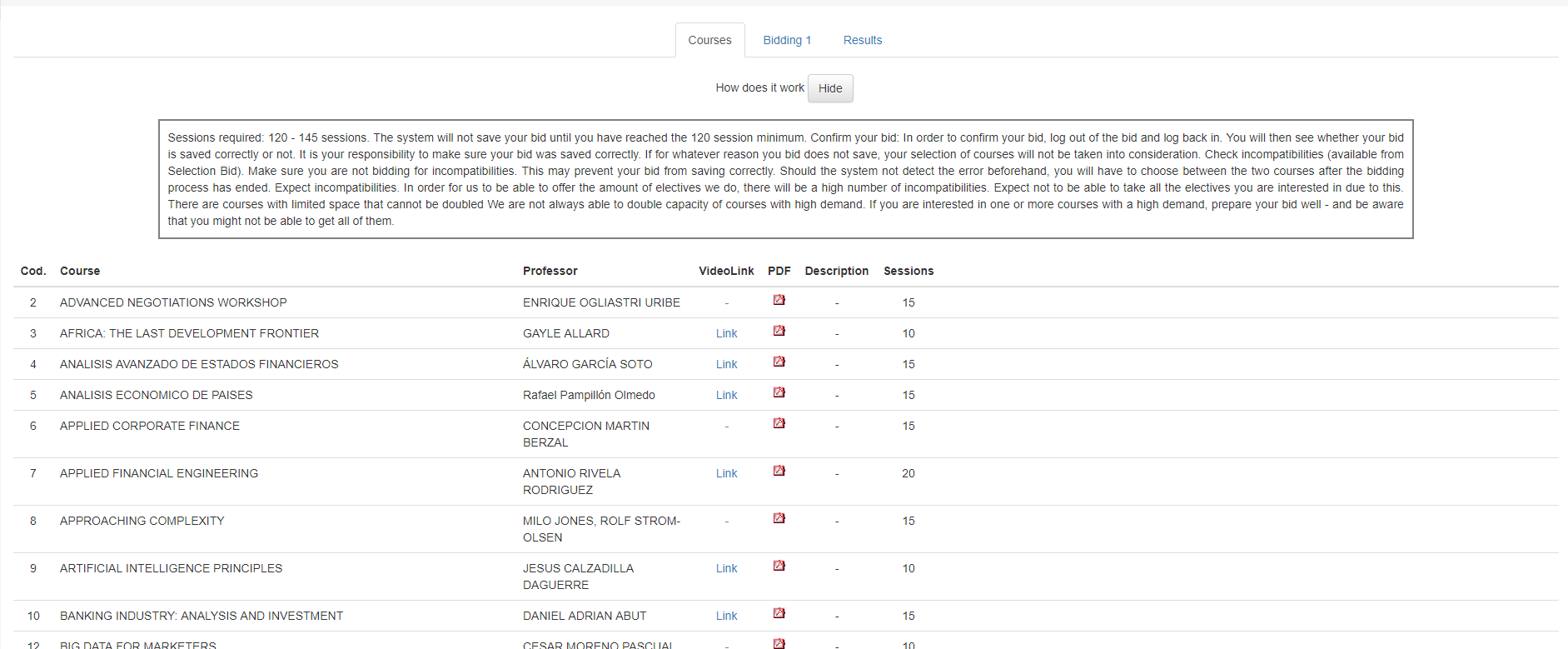
Bidding: Clicking on the “Bidding” tab will bring you to the screen copied below.
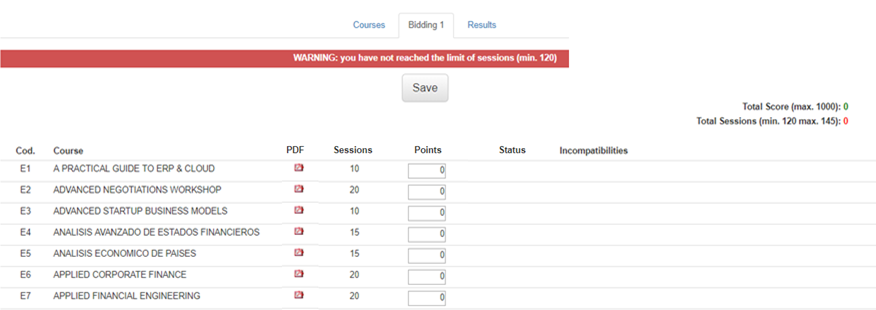
Assign the number of points you wish to bid in the “Points” box on the right. The points you assign will be totalled automatically as you bid until you have reached the maximum number of points and/or sessions available to you.
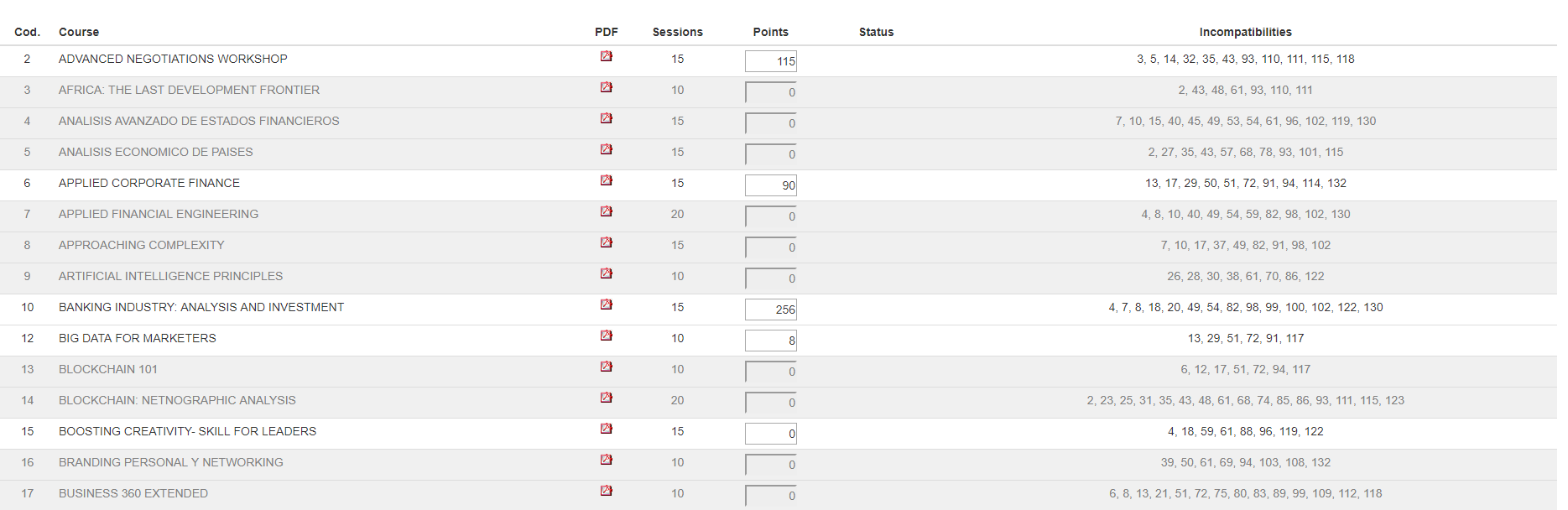
Incompatibilities
Expect incompatibilities. Incompatibilities are caused by schedule conflict or content overlap.
From the Selection Bid onward, when selecting a course, all electives incompatible with the selected course will be highlighted in grey.
In order for us to be able to offer the amount of electives we do, there will be a high number of incompatibilities. Expect you might not be able to take all the electives you are interested due to this. If you are interested in one or more courses with a high demand, prepare your bid well – and be aware that you might not be able to get all of them. The system will prevent you from bidding for incompatible courses, even if it is only one session conflict. Due to scheduling changes requested by professors, one session conflict may turn into two, three or more sessions.
In the case that you have assigned more than your 1000 points or selected less or more than 90 sessions as required, the system will not allow you to save your bid and following warnings will appear on top of the page.
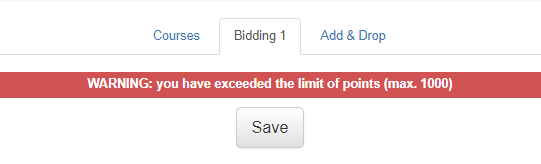
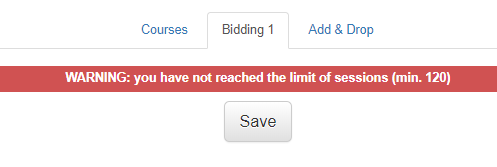
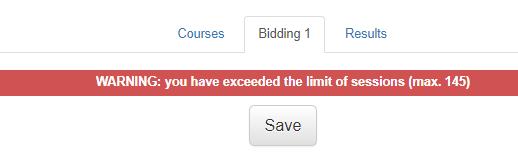
Once you have finalized this process, click “Save” to ensure that all of your bids have been registered and saved. Following pop-up message will confirm your bid has been saved.
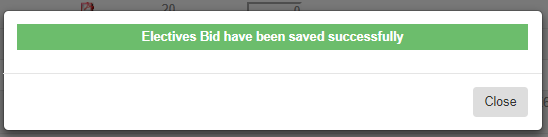
To confirm that everything is correct, exit the page (click on Home) and reenter to make sure that your results were saved.
Status column legend
No Sel./No.Bid: you cannot select or bid for this course as it has separate selection process and students are enrolled manually.
Assigned & Full status appear after the Commitment Bid.
Assigned – you are enrolled in this course
Full – the course is up to capacity. The system will not let you bid for this course.
A couple of hours before the bid closes, the IMBA Team will contact those students whose bid is not recorded in the system. If you receive this e-mail, make sure to check that everything is correct and proceed to save the bid again or contact the IMBA Team for help immediately.
It is your responsibility to make sure your bid was saved correctly. If for whatever reason your bid does not save, your selection of courses will not be taken into consideration.
Results:
Results from the selection and commitment bids will be published shortly before the opening of the following bid. Results page reflects only the outcomes of the bids, it does not reflect any changes students do during the add/drop period.
All the electives you bid for will appear in a table (see below) accompanied by the following: the maximum (Max.), minimum (Min.) and average (Avg.) number of points assigned for each course and the amounts you bid for each course (My Bid). Following the second round of bidding, you will see a “yes” or “no” in the “Assigned” column indicating whether or not you were enrolled in the course.
Note: After the selection bid, the assigned column will be empty (-) since no courses will have been assigned yet.
After the commitment and overflow bids when “selling the electives” (i.e. when the system assigns students to courses based on the number of points they bid with), the system takes couple of hours to update the information on IE Campus. Until the program management does not officially confirm that the results have been published, students will be seeing on IE Campus results from the previous bid.
The “Capacity” column will give you information on the slots for each elective, demand for the courses in the previous bid, and whether the demand exceeded the spaces available. If the numbers in this column are in green – the demand does not exceed the capacity. However if the numbers are in red – the course is full or the demand exceeds the capacity.
During the add/drop period, you will be able to request changes to your course selection within the space restrictions of the courses, course availability and incompatibilities.
The Add/Drop is also done via the same platform that you bid but under Add-Drop. It is a live platform, therefore works on first-come-first-serve basis. That means, if somebody drops a course that is full, you will see the slot freed on your IE Campus. The first person that that ticks the box under ‘Enrolled’ column gets enrolled into this course. No points are used during the add/drop period.
The courses you are enrolled in, will appear on top and will be ticked under the ‘Enrolled column’.
If you unclick a course, you automatically lose your slot in that course and another student can sign up for it. In the same way, you once you click on a course, you are automatically enrolled. You will not be allowed to drop a course if it implies the class size falls below the minimum requirement.
The system will let you know if you fall below or above the 90 sessions.
Incompatible courses will be highlighted in grey and the system will not let you select them.
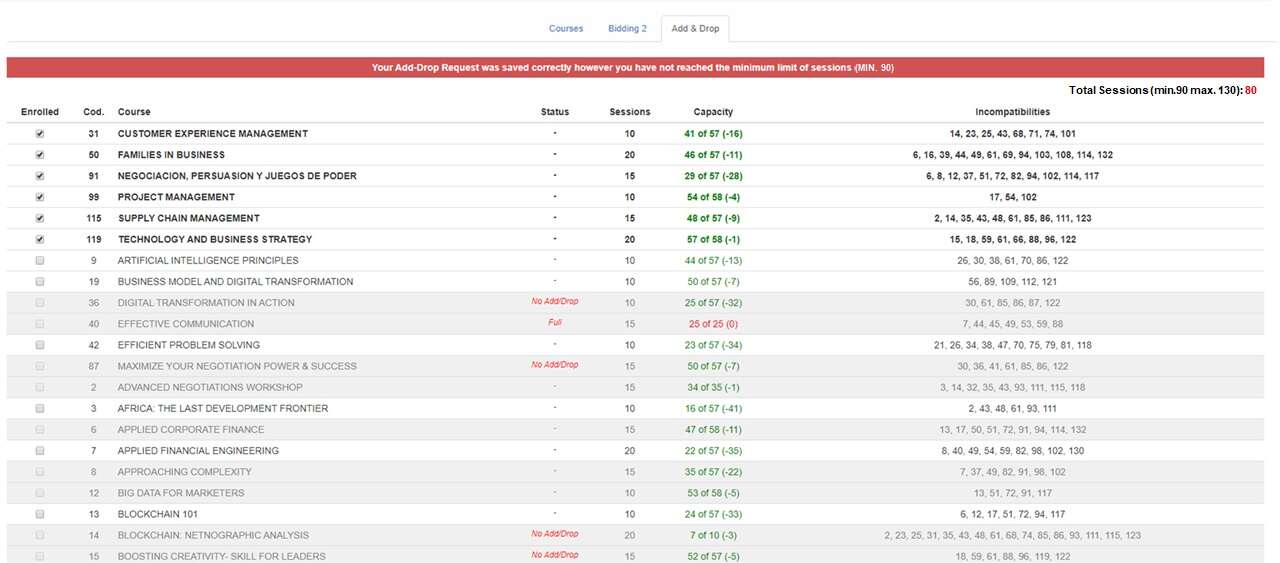
Status column legend
No Add/Drop– this course is not available for the add/drop period
Full – the course is up to capacity
The “Capacity” column will give you information on the slots available for each elective: green means there are slots available and red that the course is full.
Please note that the numbers in the capacity column in the picture above are not based on the real bid, but have been randomly assigned for the purposes of developing the app.
You will not be able to add or drop courses outside of the dates established.
Be sure to carefully review the list of incompatibilities. You will find these both on IE Blackboard Ultra under your general January intake page > Electives Bid and in the Electives Index posted on this page.
Courses that reach capacity after the bidding process will NOT be available for adding. That is, if a course is full, you will only be added to the course if a student previously assigned to the course decides to drop it. In addition, you will not be able to add a class if during the add-drop processing it reaches its full capacity.
You will not be allowed to drop a course if it implies the class size falls below the minimum requirement.
During this period, there is the opportunity to participate in our Global Immersion Month—a learning experience in which you will travel to a destination city in Europe, Asia or America for 1 month. There will be exposure to local culture, people, and history, allowing you to immerse yourself in the local community.
There will be specific IE Business School and project-related modules, as well as exposure to local schools and companies, where you can share your experience in the world of work and serve as an inspiration for future generations. The destination cities will vary from year to year.
Dates: November 24th to December 19th
Please note that the GIM is completely optional, and there is limited capacity. Additional fees will apply for students who participate, and specific visa requirements and/or travel restrictions may apply.
INQUIRY -